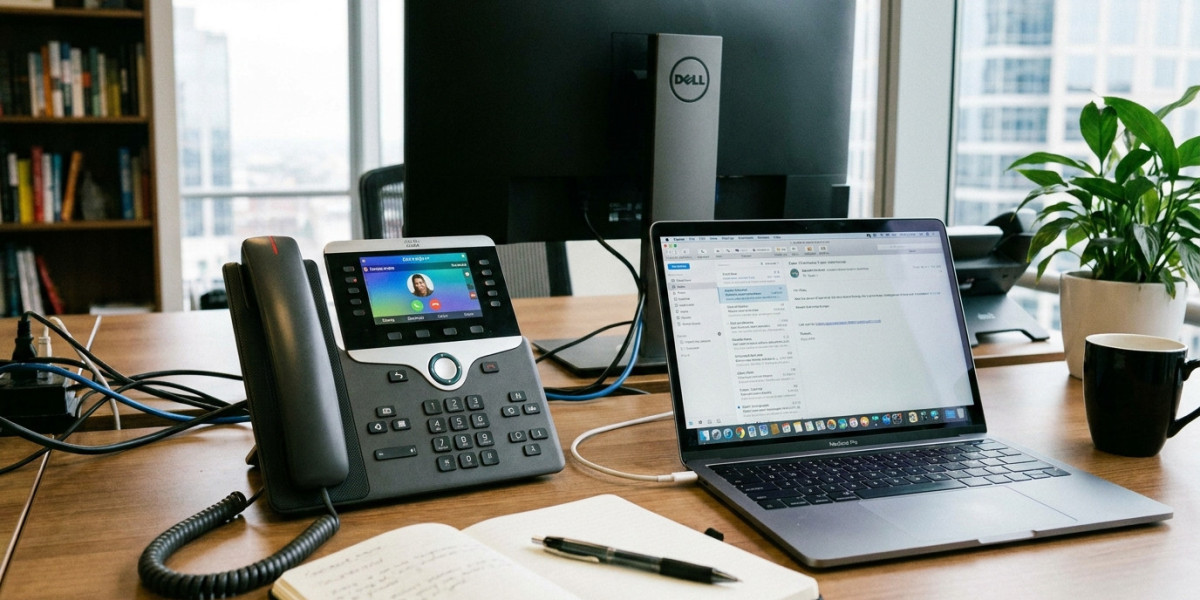
Business owners researching hosted VoIP often expect the hardest decision to be choosing a provider. In practice, a lot of the day-to-day experience comes down to something simpler: what device staff actually use to make and take calls. A VoIP phone system can be excellent, but if the wrong hardware is chosen for how a team actually works, the experience falls flat regardless of the platform behind it.
This article looks specifically at the device side of hosted VoIP — what a VoIP phone is, the main hardware and software options available, and how to choose the right mix for a UK business team.
What Counts as a VoIP Phone
A VoIP phone is any device used to make and receive calls over an internet connection rather than a traditional phone line. This includes physical desk handsets designed specifically for VoIP, but it also includes mobile apps and desktop software that turn a smartphone or laptop into a working extension of the business phone system.
This is a point of confusion for some business owners: switching to hosted VoIP doesn't necessarily mean buying new physical phones for everyone. The right choice depends entirely on how each team member actually works.
Physical VoIP Desk Phones
Dedicated VoIP desk phones remain the right choice for certain roles. Reception desks, customer service teams, and anyone spending most of the day on calls generally benefit from a physical handset — the tactile experience of picking up a receiver, transferring calls between colleagues, and using programmable buttons for frequently dialled extensions is hard to replicate through a mobile app alone.
Modern VoIP desk phones connect to the internet the same way a computer does, either through a network cable or, less commonly, Wi-Fi. Most support features like call transfer, hold, conferencing, and programmable speed-dial buttons, and many display caller information pulled from the business's contact list automatically.
When choosing desk phones, it's worth confirming compatibility with your specific hosted VoIP provider before purchasing, since not every VoIP phone works seamlessly with every platform, even though most follow similar underlying standards. Many providers offer a small range of pre-configured phones designed to work smoothly with their system straight out of the box, which avoids compatibility troubleshooting.
Mobile Apps as Business Phones
For staff who work partly or fully outside a fixed desk — field sales teams, tradespeople, or hybrid workers — a mobile app version of the business phone system is often more practical than a physical device. The mobile app lets someone make and receive calls using the business number from their personal or work smartphone, without giving out a personal mobile number to clients.
This matters for a UK tradesperson or consultant who wants to appear as a proper business on caller ID rather than calling from a personal mobile number that clients might not recognise or answer. It also means a staff member's business calls aren't lost simply because they're away from their desk.
Call quality through mobile apps depends heavily on mobile signal or Wi-Fi strength, so it's worth testing this in the specific locations where staff will actually be working before relying on it for anything customer-critical.
Desktop Softphones
A softphone is essentially a phone that lives entirely on a computer screen, using a headset for audio rather than a physical handset. This suits office-based staff who spend most of their day working from a laptop anyway and don't need the dedicated features of a full desk phone.
Softphones typically integrate well with other business software, showing incoming call notifications alongside emails or CRM records, which can be genuinely useful for customer-facing roles that benefit from seeing customer history before answering a call.
Choosing the Right Mix for Your Team
Most UK businesses end up with a mix of devices rather than standardising on just one. A sensible starting point is matching device type to role rather than choosing a single approach for the whole business.
Reception and heavy phone-use roles generally suit a physical desk phone. Hybrid or field-based staff suit a mobile app. Office staff who primarily work from a laptop often do fine with a desktop softphone and a decent headset, saving the cost of a physical handset altogether.
A growing UK consultancy, for instance, might equip its office manager with a full desk phone for handling incoming enquiries, give consultants who visit client sites the mobile app, and let staff who work mostly on emails and video calls use a softphone through their existing headset.
What Actually Affects Call Quality
Regardless of device choice, a few practical factors matter more than most people expect. Network bandwidth is the biggest factor — each active call requires a certain amount of stable internet capacity, and a business running several calls simultaneously alongside other internet use needs a connection that can comfortably handle the combined load.
A wired network connection generally offers more reliable call quality than Wi-Fi for desk phones, particularly in offices with several Wi-Fi devices competing for bandwidth. For mobile app use, a strong 4G or 5G signal, or a stable Wi-Fi connection, matters more than the phone hardware itself.
Headset quality also plays a bigger role than many businesses expect, particularly for softphone users. A basic headset with poor noise cancellation can make call quality feel worse than it actually is, especially in an open-plan office.
What to Ask a Provider About Devices
Before finalising a hosted VoIP setup, it's worth asking specifically which VoIP phones are supported and tested with the platform, whether the provider supplies pre-configured hardware or requires manual setup, and how mobile app call quality compares to desk phone quality in practice. Providers such as Wavetel Business, which work directly with UK business customers, typically offer guidance on matching device choice to how a specific team actually operates, rather than defaulting every customer to the same hardware package.
FAQ
Do all VoIP phones work with any hosted VoIP provider? Not always. Most follow similar underlying standards, but compatibility and ease of setup vary, so it's worth confirming specific phone models work with your chosen provider before purchasing.
Can staff use their personal mobile phone as a business VoIP phone? Yes, through a provider's mobile app, staff can make and receive business calls on a personal smartphone using the business number, without exposing their personal number.
Is a physical desk phone necessary for hosted VoIP? No. Many businesses, particularly smaller ones or those with hybrid teams, operate entirely through mobile apps and desktop softphones without any physical handsets.
What causes poor call quality on VoIP phones? Usually insufficient or unstable internet bandwidth, weak Wi-Fi signal, or low-quality headsets, rather than an issue with the underlying VoIP platform itself.
Should every employee have the same type of VoIP phone setup? Not necessarily. Matching device type to how each person actually works — desk phone, mobile app, or softphone — usually gives better results than standardising the whole business on one option.
Final Thoughts
Choosing the right VoIP phones and devices matters as much as choosing the provider itself, since the device shapes how staff actually experience the system every day. Matching hardware and software choices to how each role genuinely works, rather than defaulting everyone to the same setup, tends to produce a far smoother result for UK business teams making the switch to hosted VoIP.