Instagram bios and captions may seem like small details, but they play an important role in how a profile looks and feels. A well-organized bio is easier to scan, while a clean caption can make longer text more enjoyable to read. One simple way to improve formatting is by using aesthetic divider symbols.
Divider symbols are decorative text characters or combinations that separate sections visually. They can be used between bio lines, caption sections, contact details, quotes, interests, or calls-to-action. Unlike graphics, they are usually simple Unicode characters that can be copied and pasted directly into Instagram.
The best dividers are not the most complicated ones. They are the ones that improve readability while matching the overall personality of the account. If you are looking for aesthetic divider symbols copy paste, you can experiment with minimal lines, hearts, stars, flowers, moons, sparkles, brackets, and other combinations that fit your profile style.
A lifestyle creator may prefer soft hearts and sparkles, while a professional profile may use clean lines and dots. Artists may choose flower or star dividers, and gaming profiles may prefer stronger characters. The important thing is consistency.
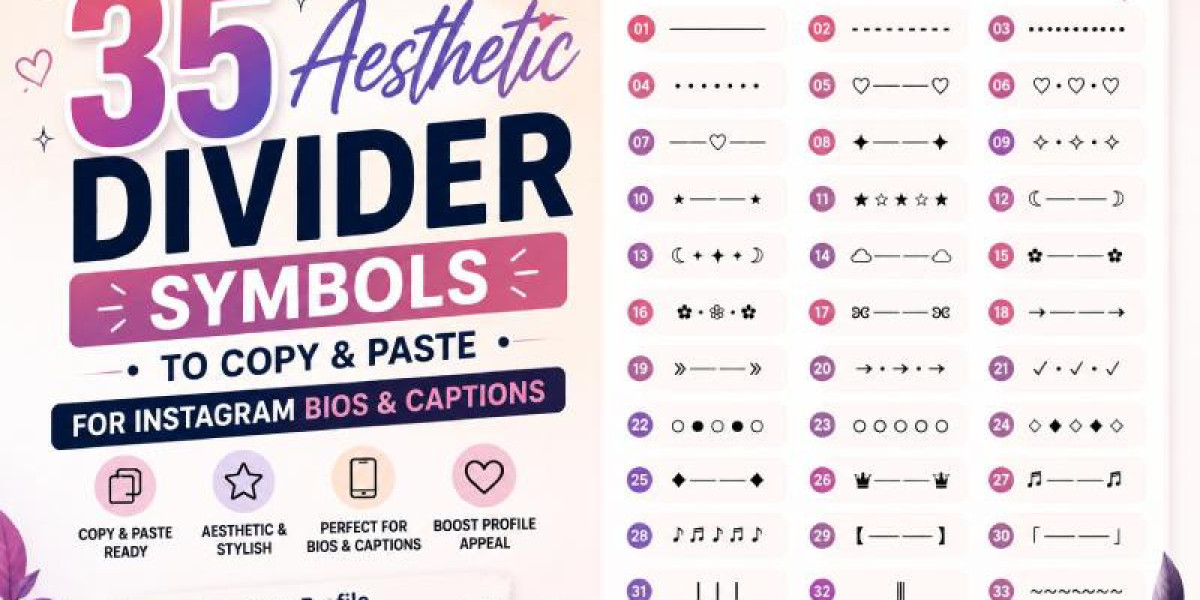
Below are 35 aesthetic divider ideas you can copy, paste, and customize for Instagram bios, captions, and other social media profiles.
1. Simple Line Divider
Copy:
──────
This is one of the cleanest divider styles available.
It works well for:
Instagram bios
Professional profiles
Minimal captions
Service sections
Creator profiles
Example:
Content Creator
──────
Travel • Lifestyle • Fashion
──────
New posts every week
The simple line keeps information organized without adding too much decoration.
2. Short Dash Divider
Copy:
———
A shorter divider is useful when you want something subtle.
Example:
About Me
———
Designer & Creator
It works particularly well in bios where space is limited.
3. Dotted Divider
Copy:
••••••••
Dots create a softer look than straight lines.
Example:
Lifestyle
••••••••
Beauty • Travel • Food
This style can work for both personal and professional profiles.
4. Minimal Dot Line
Copy:
• • • • •
A spaced dot divider has a clean and modern appearance.
Example:
My Favorites
• • • • •
Books • Coffee • Music
It looks especially good on minimalist profiles.
5. Heart Divider
Copy:
♡────♡
Heart dividers are perfect for soft, romantic, lifestyle, and personal profiles.
Example:
About Me
♡────♡
Fashion | Beauty | Travel
It adds emotion without making the profile difficult to read.
6. Double Heart Divider
Copy:
♡ • ♡ • ♡
This divider feels playful but still organized.
Example:
Daily Life
♡ • ♡ • ♡
Travel • Style • Food
It works well for Instagram and TikTok bios.
7. Heart and Line Divider
Copy:
────♡────
A centered heart creates a balanced look.
Example:
Lifestyle Creator
────♡────
New Videos Weekly
This is one of the most versatile heart-based dividers.
8. Sparkle Divider
Copy:
✦────✦
Sparkles create a clean aesthetic look.
Example:
Creative Studio
✦────✦
Design • Art • Ideas
It works well for creators, artists, designers, and aesthetic profiles.
9. Double Sparkle Divider
Copy:
✧ • ✧ • ✧
This divider feels light and decorative.
Example:
About My Content
✧ • ✧ • ✧
Fashion • Lifestyle • Tips
It is ideal for soft and elegant profiles.
10. Small Star Divider
Copy:
⋆ ──── ⋆
Small stars create a subtle dreamy style.
Example:
Daily Inspiration
⋆ ──── ⋆
Quotes • Lifestyle • Creativity
It works especially well with minimal and dreamy aesthetics.
11. Star Row Divider
Copy:
★ ☆ ★ ☆ ★
This divider creates a bolder look.
Example:
Gaming Content
★ ☆ ★ ☆ ★
Clips • Streams • Highlights
It suits gaming, entertainment, and energetic profiles.
12. Moon Divider
Copy:
☾────☽
Moon symbols create a dreamy or nighttime aesthetic.
Example:
Late Night Thoughts
☾────☽
Music • Books • Coffee
This style works well for artistic and personal profiles.
13. Moon and Star Divider
Copy:
☾ ⋆ ✦ ⋆ ☽
A celestial combination gives a stronger aesthetic effect.
Example:
Dreamy Vibes
☾ ⋆ ✦ ⋆ ☽
Music • Photography • Travel
Use this when you want the divider itself to become part of your visual identity.
14. Cloud Divider
Copy:
☁ ─── ☁
Cloud symbols create a soft, calm appearance.
Example:
Travel Diary
☁ ─── ☁
Places • Food • Memories
It works nicely with travel and lifestyle content.
15. Flower Divider
Copy:
✿────✿
Flowers work well for beauty, wellness, craft, and lifestyle profiles.
Example:
Handmade Designs
✿────✿
Art • Nature • Creativity
This divider feels soft without being too decorative.
16. Floral Dot Divider
Copy:
✿ • ❀ • ✿
A floral combination creates a more playful style.
Example:
Beauty & Wellness
✿ • ❀ • ✿
Skin • Style • Self Care
It can be used in captions as well as bios.
17. Butterfly Divider
Copy:
ʚɞ ─── ʚɞ
This divider creates a soft and feminine aesthetic.
Example:
New Beginnings
ʚɞ ─── ʚɞ
Growth • Creativity • Life
Butterfly styles work especially well for personal growth and lifestyle content.
18. Arrow Divider
Copy:
→────→
Arrows are useful when you want visual direction.
Example:
Start Here
→────→
About • Tips • Contact
This works well for professional and creator accounts.
19. Double Arrow Divider
Copy:
»────»
This feels slightly more dynamic.
Example:
Latest Content
»────»
Reels • Shorts • Tutorials
It suits technology, gaming, and modern profiles.
20. Arrow and Dot Divider
Copy:
→ • → • →
This divider is simple but visually interesting.
Example:
Explore More
→ • → • →
Tips • Guides • Ideas
It works well in longer captions.
21. Check Mark Divider
Copy:
✓ • ✓ • ✓
Check marks are useful for educational and business profiles.
Example:
What We Offer
✓ • ✓ • ✓
Design • Strategy • Support
This style communicates organization and professionalism.
22. Circle Divider
Copy:
○ ● ○ ● ○
Circles create a modern minimalist look.
Example:
About Me
○ ● ○ ● ○
Creator • Designer • Blogger
This is a good option for clean profiles.
23. Outline Circle Divider
Copy:
○ ○ ○ ○ ○
A softer version works for elegant and professional bios.
Example:
Services
○ ○ ○ ○ ○
Branding • Content • Strategy
24. Diamond Divider
Copy:
◇ ◆ ◇ ◆ ◇
Diamonds create a premium, geometric feel.
Example:
Portfolio
◇ ◆ ◇ ◆ ◇
Branding • Design • Content
This works especially well for design and luxury-focused profiles.
25. Minimal Diamond Line
Copy:
◆────◆
This is simpler and more balanced.
Example:
Creative Work
◆────◆
Projects • Ideas • Concepts
26. Crown Divider
Copy:
♛────♛
Crown symbols create a bold and premium style.
Example:
Fashion Creator
♛────♛
Style • Trends • Inspiration
This works best for profiles with a confident personality.
27. Music Divider
Copy:
♫────♫
Music creators can use this divider to reinforce their niche.
Example:
Music Creator
♫────♫
Covers • Originals • Live
It also works in playlist-related captions.
28. Music Note Row
Copy:
♪ ♫ ♪ ♫ ♪
This divider has a playful music theme.
Example:
Current Playlist
♪ ♫ ♪ ♫ ♪
Pop • Indie • Acoustic
29. Bracket Divider
Copy:
【────】
Brackets create a structured and modern look.
Example:
About Me
【────】
Creator • Photographer • Traveler
This style works well for gaming, anime, and modern creative profiles.
30. Japanese-Style Divider
Copy:
「────」
This divider gives profiles a slightly different visual character.
Example:
Daily Content
「────」
Art • Gaming • Lifestyle
Use it when it fits your overall aesthetic.
31. Vertical Divider
Copy:
│ │ │
Vertical dividers are useful for separating words rather than sections.
Example:
Travel │ Food │ Lifestyle
or:
Designer │ Creator │ Strategist
This is one of the most practical divider styles for bios.
32. Double Vertical Divider
Copy:
║
Example:
Fashion ║ Beauty ║ Travel
This creates stronger separation while still remaining readable.
33. Wave Divider
Copy:
Wave-style dividers feel informal and creative.Example:Weekend Thoughts Coffee • Music • Editing
They are suitable for casual captions and personal profiles.
34. Decorative Wave Divider
Copy:
~ ✦ ~ ✦ ~
This gives a more aesthetic version of a simple wave.
Example:
Creative Mood
~ ✦ ~ ✦ ~
Art • Ideas • Inspiration
35. Mixed Aesthetic Divider
Copy:
♡ ✦ ─── ✦ ♡
This combination blends hearts, sparkles, and lines.
Example:
Lifestyle Creator
♡ ✦ ─── ✦ ♡
Fashion • Travel • Beauty
Mixed dividers work well when you want something visually stronger, but use them sparingly.
Ready-to-Copy Divider Collection
Here is a quick collection you can save:
──────
———
••••••••
• • • • •
♡────♡
♡ • ♡ • ♡
────♡────
✦────✦
✧ • ✧ • ✧
⋆ ──── ⋆
★ ☆ ★ ☆ ★
☾────☽
☾ ⋆ ✦ ⋆ ☽
☁ ─── ☁
✿────✿
✿ • ❀ • ✿
ʚɞ ─── ʚɞ
→────→
»────»
→ • → • →
✓ • ✓ • ✓
○ ● ○ ● ○
○ ○ ○ ○ ○
◇ ◆ ◇ ◆ ◇
◆────◆
♛────♛
♫────♫
♪ ♫ ♪ ♫ ♪
【────】
「────」
│ │ │
║
~ ✦ ~ ✦ ~♡ ✦ ─── ✦ ♡# How to Use Dividers in an Instagram BioA divider can make a bio much easier to understand.For example:Lifestyle Creator ────♡──── Fashion • Beauty • Travel ────♡──── New posts every weekInstead of placing every detail on one line, the divider gives each section its own space.This makes the profile easier to scan.## Professional Bio ExampleDigital Strategist ────── SEO • Content • Branding ────── → DM for collaborationThis example uses a simple divider because the profile is professional.## Soft Aesthetic Bio♡ lifestyle creator ✧ • ✧ • ✧ beauty • fashion • travel ☾ ⋆ ✦ ⋆ ☽ new videos weeklyThe symbols create a softer, more personal aesthetic.## Minimalist BioCreator │ Designer │ Writer ────── Weekly Ideas → Follow AlongThis uses fewer decorative elements and keeps the emphasis on the words.# How to Use Dividers in Instagram CaptionsDividers can help longer captions feel less overwhelming.For example:A little weekend update ♡This week has been full of new ideas, small wins, and a lot of coffee.✦────✦Three things I'm focusing on:• creating consistently • learning something new • taking more breaks✦────✦What are you working on this week?The divider creates visual breaks between sections.This can make longer captions easier to read on mobile screens.# Divider Ideas for Quote CaptionsQuotes and reflections work particularly well with aesthetic separators.Example:“Small progress is still progress.”☾ ⋆ ✦ ⋆ ☽Keep going, even when things feel slow.Or:Choose what brings you peace.────♡────Everything does not need your attention.The divider gives the quote extra visual emphasis.# Divider Ideas for Business CaptionsBusinesses can also use dividers without making their posts look overly decorative.Example:New Service Available──────✓ Consultation ✓ Custom Strategy ✓ Ongoing Support──────DM us for details.Clean lines and check marks work better for professional business content than very elaborate decorative characters.# Divider Ideas for Influencers and CreatorsCreators can use dividers to separate:Personal updatesProduct detailsLinksRecommendationsQuestionsCalls-to-actionExample:Today's Favorites ♡✿────✿Skincare Coffee Books Music✿────✿What's one thing you're loving this week?This creates a structured caption without needing a graphic.# How to Choose the Right Divider StyleDifferent divider styles create different moods.For a **minimal profile**, choose:──────• • • • •│○ ○ ○For a **cute profile**:♡────♡✿ • ❀ • ✿ʚɞ ─── ʚɞFor a **dreamy profile**:☾ ⋆ ✦ ⋆ ☽☁ ─── ☁⋆ ──── ⋆For a **professional profile**:──────✓ • ✓ • ✓│→────→For a **bold profile**:♛────♛★ ☆ ★ ☆ ★◆────◆Choosing a divider that fits the rest of your content creates stronger visual consistency.# Should You Use the Same Divider Everywhere?Usually, consistency looks better than constantly switching styles.If your bio uses:────♡────you might use the same or a similar heart style in captions and Highlight titles.For example:Bio: ────♡────Caption: ♡ • ♡ • ♡Highlight names: ♡ Life ♡ Travel ♡ StyleThis creates a recognizable visual identity.However, you do not need to make every post identical.A small amount of variation keeps the profile interesting.# Don't Make Your Bio Too DecorativeA common mistake is using multiple divider styles together.For example:♡✦────✦♡ ☾⋆✿⋆☽ ◆★────★◆Using several decorative styles together can make a bio difficult to read.A cleaner version might be:Lifestyle Creator ────♡──── Fashion • Beauty • Travel → New Videos WeeklyThe bio still has personality, but the message is clearer.# Keep Dividers Short on MobileInstagram is primarily viewed on mobile devices.Very long dividers may wrap awkwardly or look different depending on screen size.Instead of:────────────────────────────────use:──────or:────♡────Shorter dividers are easier to control.# Symbols vs Graphic DividersText dividers are different from graphic elements.Text symbols can be typed or pasted directly into a bio or caption.Graphic dividers need to be included in images, Stories, or designed posts.For example:Text divider:✦────✦Graphic divider:A custom illustrated line created in Canva or another design tool.Text dividers are faster and easier for simple profile formatting.# Do Divider Symbols Work on Every Device?Most common Unicode characters work across modern smartphones and browsers.However, some symbols can look slightly different depending on:DeviceOperating systemFontApp versionBefore finalizing your profile:Paste the divider.Preview it.Check it from your phone.Make sure the spacing looks correct.If a symbol appears as an empty box or unusual character, choose a simpler alternative.# Divider Symbols for Instagram Highlight NamesYou can also use simple symbols around Highlight titles.Examples:♡ About✦ Tips☾ Travel✿ Life→ ShopOr use a separator:Travel | FoodBeauty • StyleTips ✦ GuidesKeep Highlight names short because there is limited visible space.# Divider Symbols for Usernames and Display NamesDividers can also be used carefully in display names.Examples:Luna | CreatorMia • LifestyleNova ✦ GamingAva ♡ BeautyThese styles are generally easier to read than usernames overloaded with symbols.# Can Aesthetic Dividers Increase Engagement?Dividers do not directly increase Instagram reach.They will not automatically produce more likes, followers, or views.Their benefit is primarily presentation.They can help:Make captions easier to scan.Separate information.Improve visual consistency.Make calls-to-action more noticeable.Create a clearer profile style.When users find your content easier to read and understand, the overall experience improves.# Creating Your Own Divider CombinationsOnce you understand the basic structure, you can create custom dividers.Start with a central symbol:♡Then add lines:────♡────Or combine stars:✦────♡────✦You can also use dots:• ♡ • ♡ •Or celestial characters:☾ ⋆ ♡ ⋆ ☽The best custom dividers are simple enough to display clearly on mobile.# Five Easy Custom Divider FormulasTry these templates.### Formula 1: Symbol + Line + Symbol✦────✦Replace the star with:♡────♡☾────☽◆────◆### Formula 2: Repeated Symbols♡ • ♡ • ♡Alternative:✦ • ✦ • ✦### Formula 3: Central Symbol────♡────Alternative:────✦────### Formula 4: Mixed Aesthetic☾ ⋆ ✦ ⋆ ☽### Formula 5: Minimal SeparatorDiscover 35 aesthetic divider symbols to copy and paste for Instagram bios and captions. Create cleaner, stylish, and more organized social media text.• • • • •These formulas give you endless variations without needing complicated designs.# Best Practices for Aesthetic Divider SymbolsKeep a few simple rules in mind.First, readability comes before decoration. If the divider makes text difficult to understand, remove it.Second, keep lines reasonably short so they display correctly on mobile.Third, match the symbol to your profile personality.Fourth, avoid using a divider after every sentence. Save it for real section breaks.Finally, preview your finished bio or caption before publishing.# Final ThoughtsAesthetic divider symbols are a simple way to improve the appearance of Instagram bios and captions. From minimalist lines and dots to hearts, flowers, stars, moons, arrows, and celestial combinations, there is a style for almost every type of profile.The strongest designs do not necessarily use the most complicated symbols. A short line like `──────` can work perfectly for a professional creator, while `────♡────` may fit a softer lifestyle profile. The best divider is one that makes your text easier to navigate while supporting your personality.Experiment with a few styles, check how they appear on mobile, and choose one or two that feel consistent with your account. Used thoughtfully, divider symbols can transform a block of plain text into a cleaner, more organized, and more memorable social media presentation.